
Account menu#
The Account drop-down menu in Guardian offers a central location to access your account details, switch between organisation accounts, and manage Guardian settings. To access the Account drop-down menu, click the name of your organisation in the top right corner of Guardian.
Applies to: Guardian Classic
Tip
The Account drop-down menu was updated in V3.55.0 of Guardian. To access the functionality described below, upgrade to the May 2025 Monthly Release.
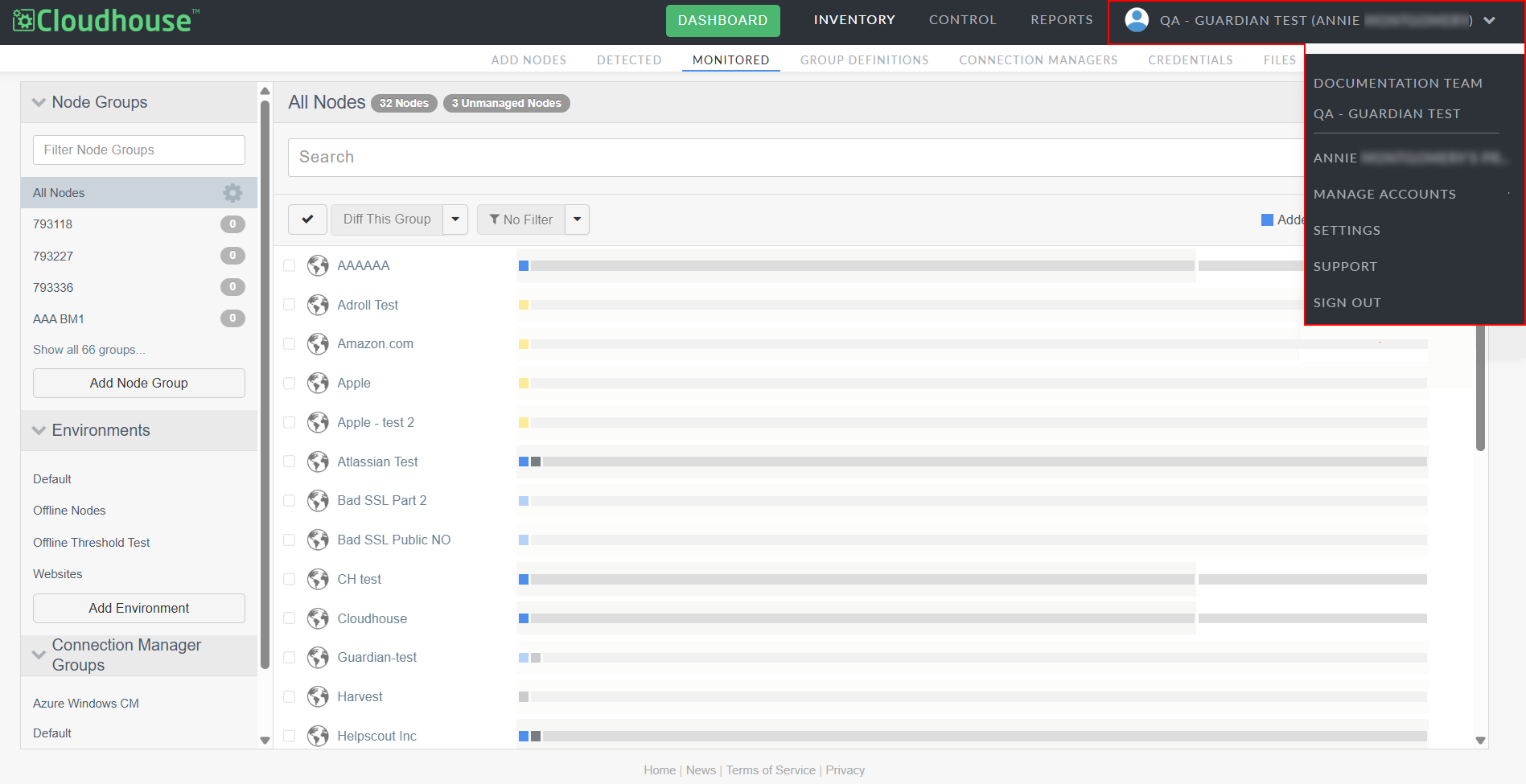
The Account drop-down menu includes the following options:
- Organizations
- The organisations you have access to within Guardian. To switch between organisations, select an organisation from the drop-down menu. The name of the organisation you're currently in is shown in the top right corner of Guardian. For more information, see Organisation Accounts.
- [User Name]'s Profile
- Takes you to profile of the currently signed in user account. Here, you can access and edit user details, configure environment reports, and view the account's live activity feed.
- Manage Accounts
- Takes you to the Accounts page where you can manage your Guardian organisations, including user access and permissions. For more information, see Manage Accounts.
- Settings
-
Takes you to the Settings page for your overall Guardian instance. Here, you can adjust top-level settings that apply to all organisations configured in your Guardian instance. For more information, see Guardian Settings.
Note
Only Guardian administrators have access to the Settings page. Depending on your role within Guardian, you may not see this option listed. For more information, see Users.
- Support
- Takes you to the Guardian Help documentation website.
- Sign Out
- Click to sign out of the current user account.