
Exiting with code -1#
Problem: When deploying a Compatibility Package, the following error is displayed:
Applies to: Alchemy
ERROR Cloudhouse.Container.Deployment.Program - Failed to parse command line arguments: Invalid argument combination: deploydir is not provided and shared is not specified.
ERROR Cloudhouse.Container.Deployment.Program - Exiting with code: -1.
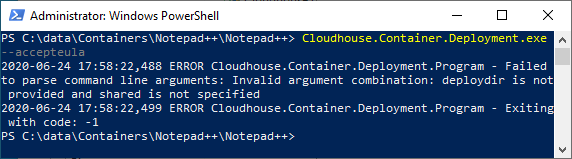
Cause: This error is caused if the command line you are using to deploy your Compatibility Package is incomplete or invalid.
Note
The "-1" error is a catch-all error message, designed to catch any errors not caught by the other error codes. It is typically caused by you using an invalid command line to deploy the Cloudhouse Alchemy Compatibility Package.
Solution: To fix this issue, check the command line you are using to deploy the Compatibility Package is valid as detailed in Deploying an Alchemy Compatibility Package.
Tip
The text displayed after the Failed to parse command line arguments message will help you identify the issue. In the example above, Invalid argument combination: deploydir is not provided and shared is not specified is telling you that either the deploydir or shared options need to be specified when deploying a Compatibility Package.
If you still encounter problems, please contact your Cloudhouse Partner in the first instance (if relevant), otherwise contact Cloudhouse Support for further assistance.