
Exiting with code -13#
Problem: When deploying a Compatibility Package, the following error is displayed:
Applies to: Alchemy
ERROR Cloudhouse.Container.Deployment. Program - Failed:
Cloudhouse.Container.Core.Exceptions.InvalidConfigurationFileException: The specified file associations file is invalid 'C:\Data\Containers\Notepad++\Notepad++\FileAssociations.xml' ---> System.Xml.XmlException: Root element is missing.
 at System.Xml.XmlTextReaderImpl.Throw(Exception e)
 at System.Xml.XmlTextReaderImpl.ParseDocumentContent()
 at System.Xml.Linq.XDocument.Load(XmlReader reader, LoadOptions options)
 at System.Xml.Linq.XDocument.Load(Stream stream, LoadOptions options)
 at Cloudhouse.Container.Core.Serialization.XmlConvert.DeserializeFromFile[T](String path)
 at Cloudhouse.Container.Core.FileAssociations.FromXml(String path)
 --- End of inner exception stack trace ---
 at Cloudhouse.Container.Core.FileAssociations.FromXml(String path)
 at Cloudhouse.Container.Core.PackageDirectory.Validate()
 at Cloudhouse.Container.Core.PackageDirectory.get_SourcePackage()
 at Cloudhouse.Container.Deployment.DeploymentCommandFactory.Deploy()
 at Cloudhouse.Container.Deployment.Program.Main(String[] args)
ERROR Cloudhouse.Container.Deployment. Program - Exiting with code: -13
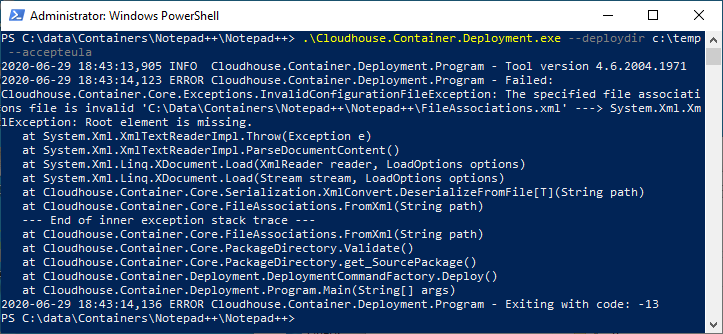
Cause: This error is caused if the contents of the FileAssociations.xml file in the root folder of the Compatibility Package are invalid.
Solution: To fix this issue, make sure the contents of the FileAssociations.xml file in the root folder of the Cloudhouse Alchemy Compatibility Package folder are valid. If you still encounter problems, please contact your Cloudhouse Partner in the first instance (if relevant), otherwise contact Cloudhouse Support for further assistance.