
Add an organisation account#
Organisation accounts are the top-most level of structuring data within Guardian, each capable of hosting its own set of inventory, policies, and users. As a Guardian administrator, perhaps you want to separate your Guardian instance by team, ensuring users only have access to the data that pertains to them. You can use organisation accounts to do that.
Applies to: Guardian Classic
Guardian administrators can add new organisation accounts from the Manage Accounts page (Account > Manage Accounts). Then, users can be granted access to these new organisations.
To add an organisation account, complete the following process:
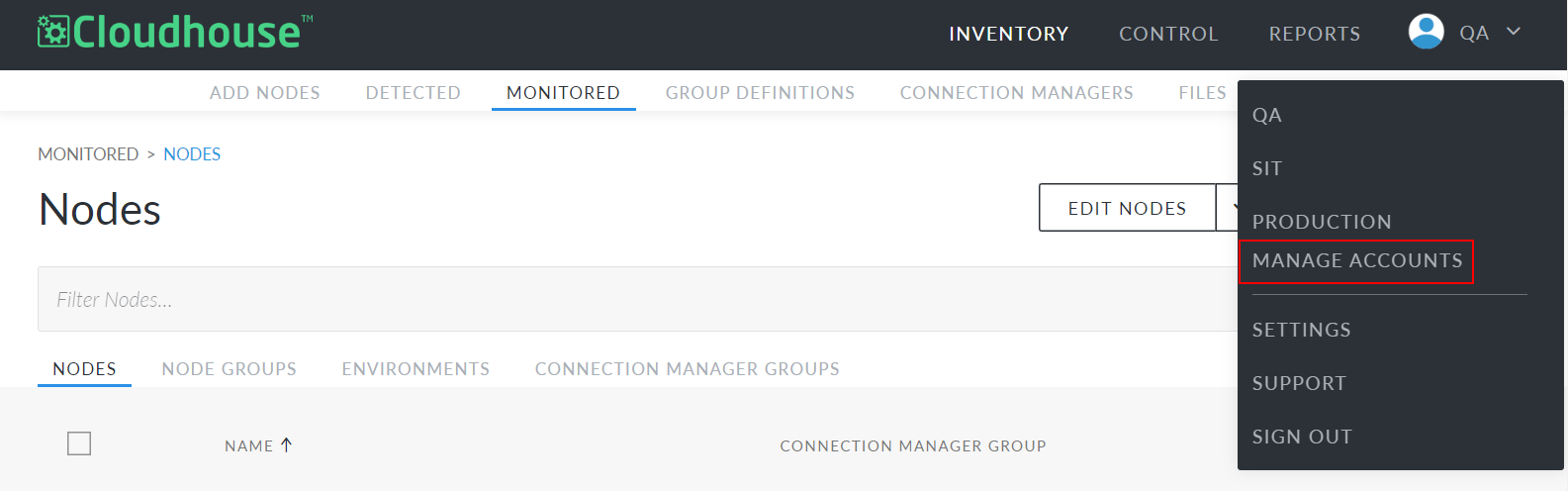
- Click the organisation name in the top right corner of Guardian. A drop-down menu is displayed.
-
Click Manage Accounts. The Accounts page is displayed.
-
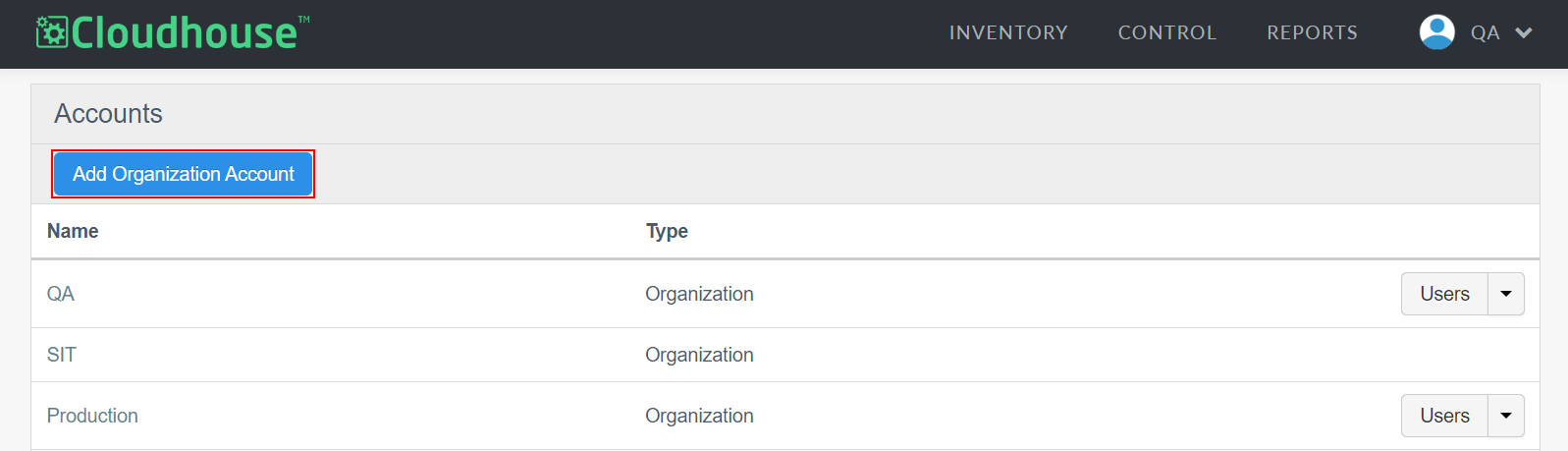
On the Accounts page, click to Add Organization Account. The Add Organization Account page is displayed.
-
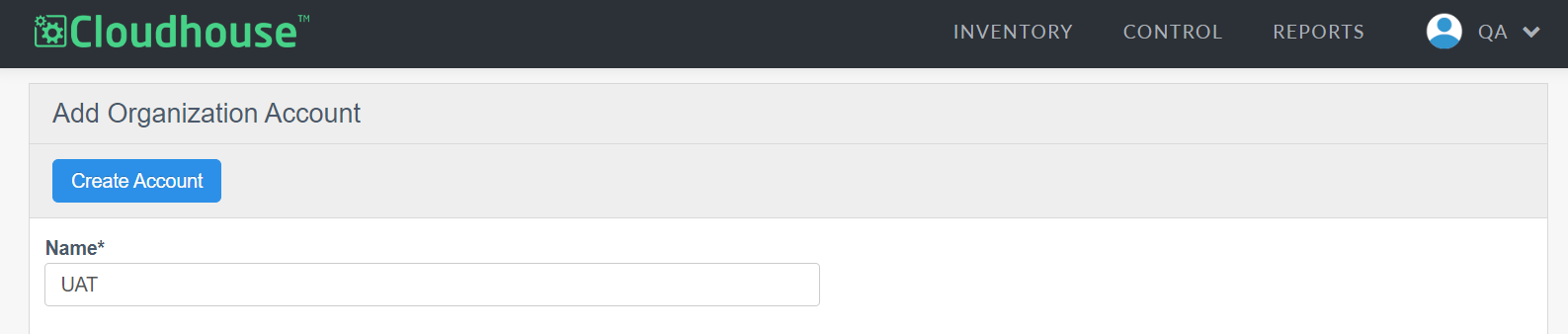
Here, you need to enter a Name for your organisation.
-
Then, click to Create Account.
Now, your new organisation is displayed on the Accounts page. Clicking on the organisation's name brings you to the Organisation Configuration page where you can change the organisation's name and customise additional account settings. When you're ready, you can invite users to the new organisation or perform other actions like adding a new node.