
Delete an organisation account#
Organisation accounts let you separate data in Guardian instance via user pool. If an organisation is no longer needed, a Guardian user with administrator privileges can delete it.
Applies to: Guardian Classic
Warning
Deleting an organisation account deletes all of its data. All users of that organisation will immediately lose access to it.
To delete an organisation account, complete the following process:
-
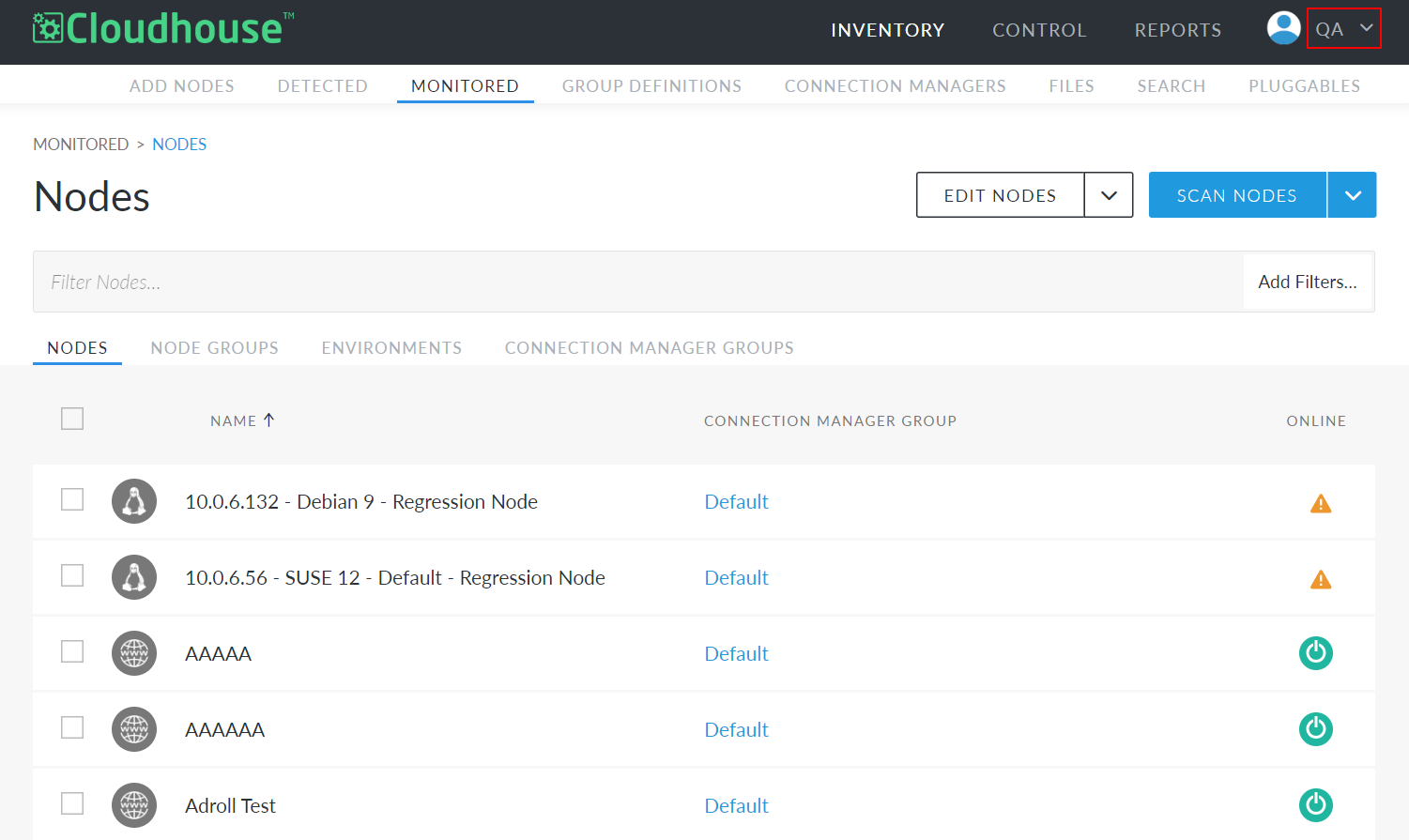
Click the organisation name in the top right corner of Guardian. A drop-down menu is displayed.
-
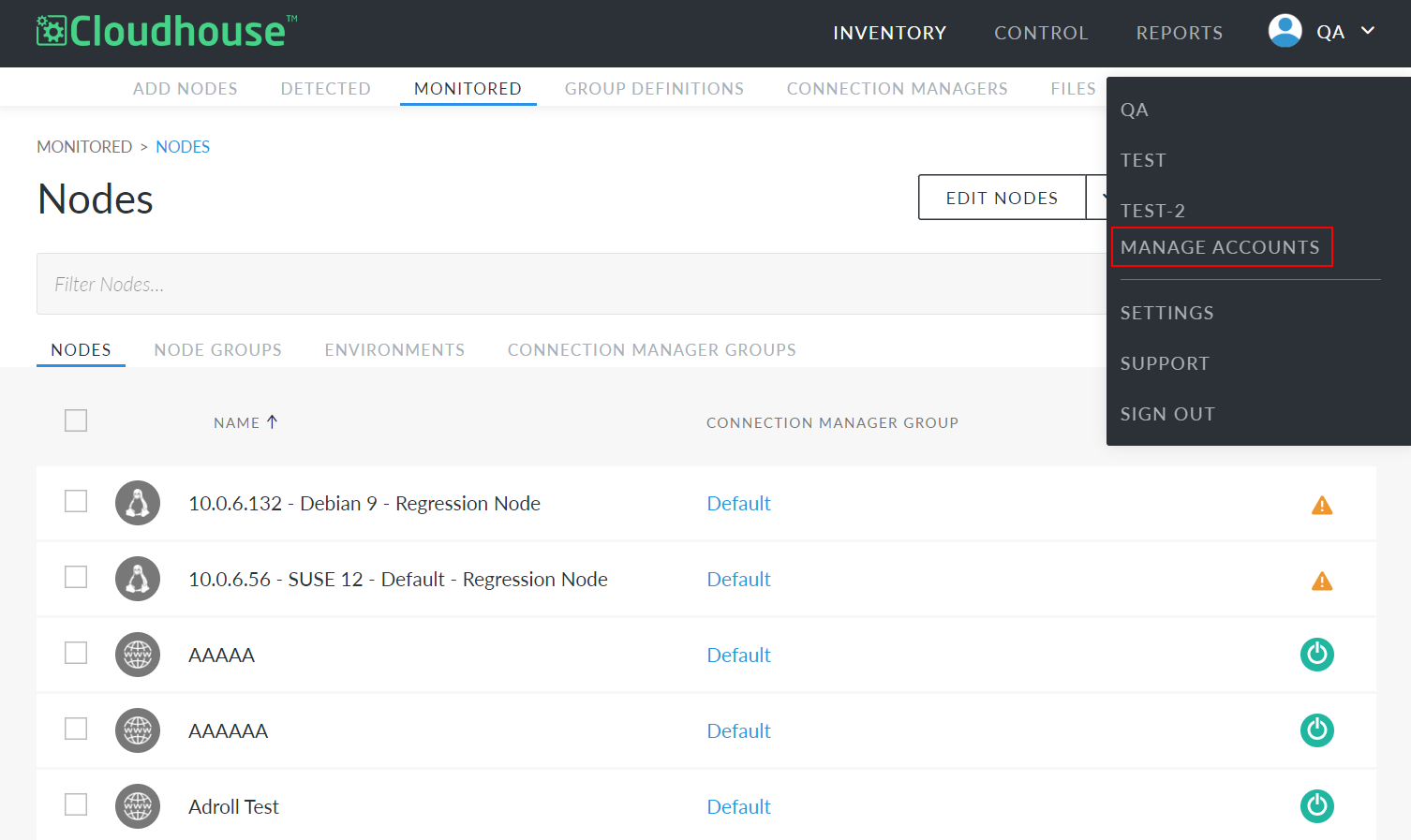
Click Manage Accounts. The Accounts page is displayed.
-
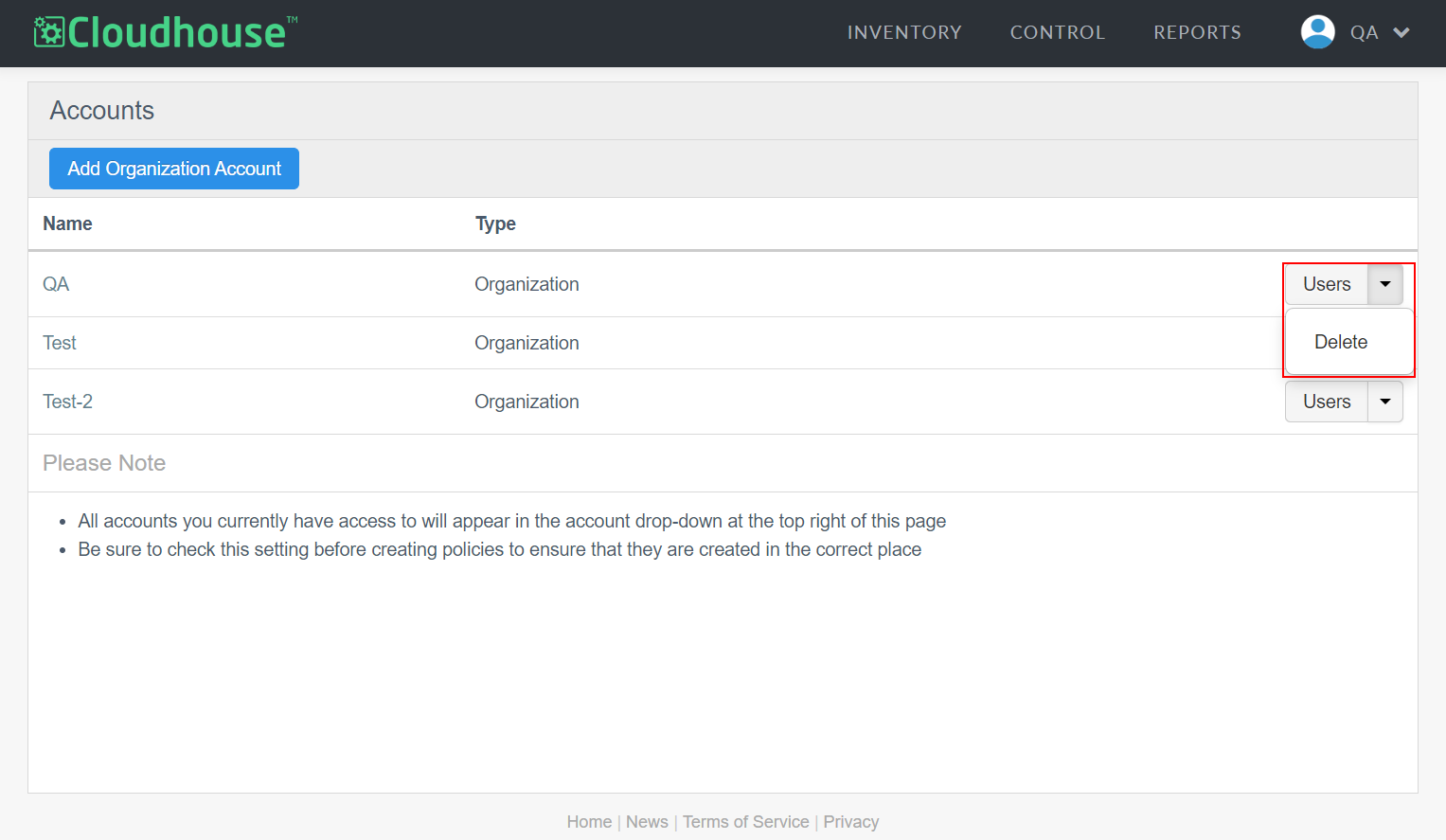
On the Accounts page, locate the organisation you want to delete. Then, click the Users drop-down list to display the Delete button.
-
Click to Delete the organisation account. A confirmation dialog is displayed.
-
Click OK to proceed.
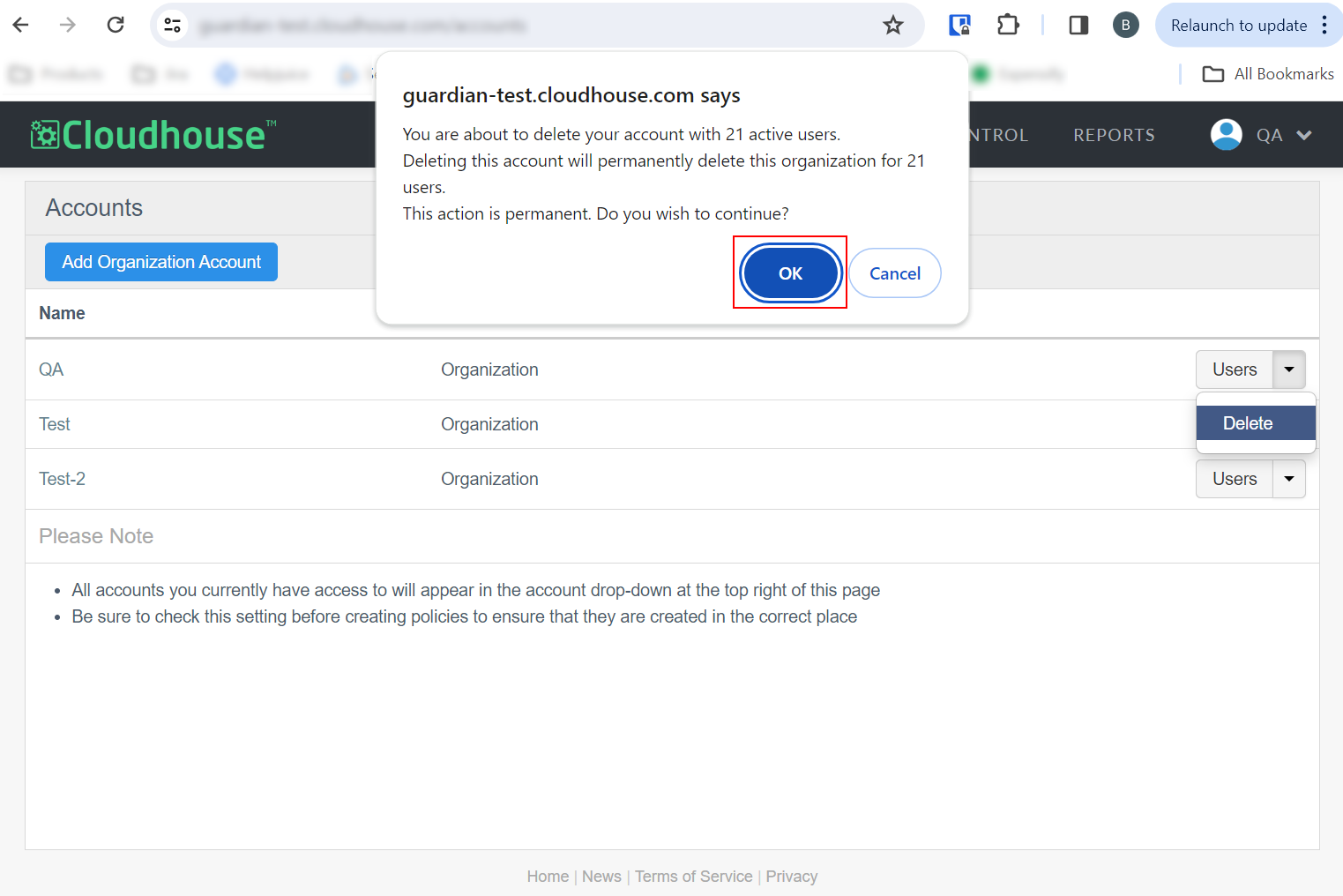
Once confirmed, the organisation account, alongside all of its nodes, connection managers, and policies, will be deleted.