
Add a Kubernetes API node#
Add the Kubernetes API for agentless scanning with a bearer token. Guardian supports Kubernete API nodes using a service account bearer token.
Applies to: Guardian Classic
Dependencies#
To add a Kubernetes API, the following dependencies must be met:
- Linux Connection Manager – Set up in Guardian. For more information, see Linux Connection Manager.
- Kubernetes API Service Account – Set up with a bearer token generated. For more information, see for Kubernetes API Service Account.
- Kubernetes Command Line Tools – Set up to communicate with your cluster.
Add a Kubernetes API node#
Adding a Kubernetes API node to your Guardian instance lets you monitor and track the configuration of a Kubernetes cluster.
To add the Kubernetes API node for Agentless scanning, complete the following steps:
-
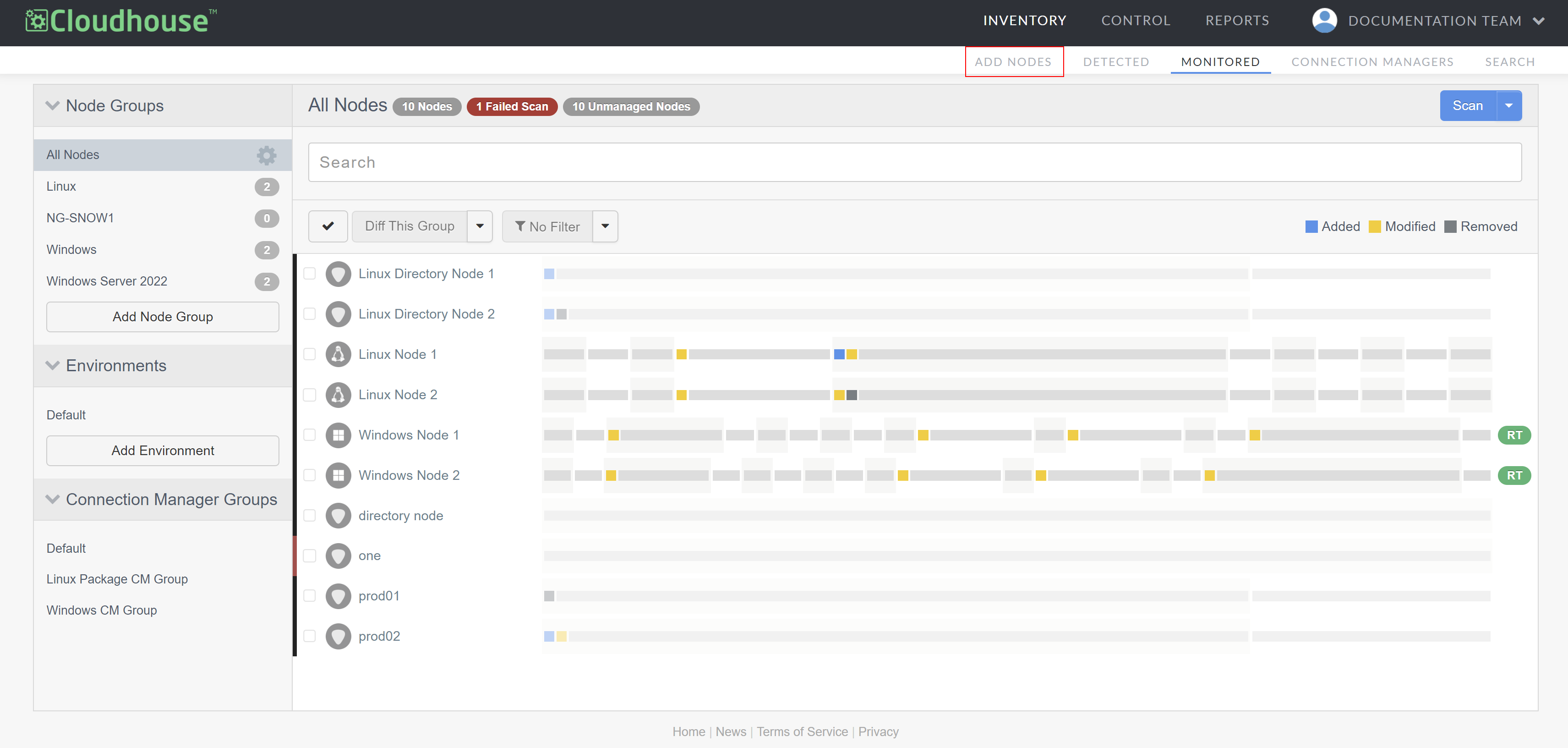
In the Guardian web application, navigate to the Add Nodes tab (Inventory > Add Nodes). The Add Nodes page is displayed.
-
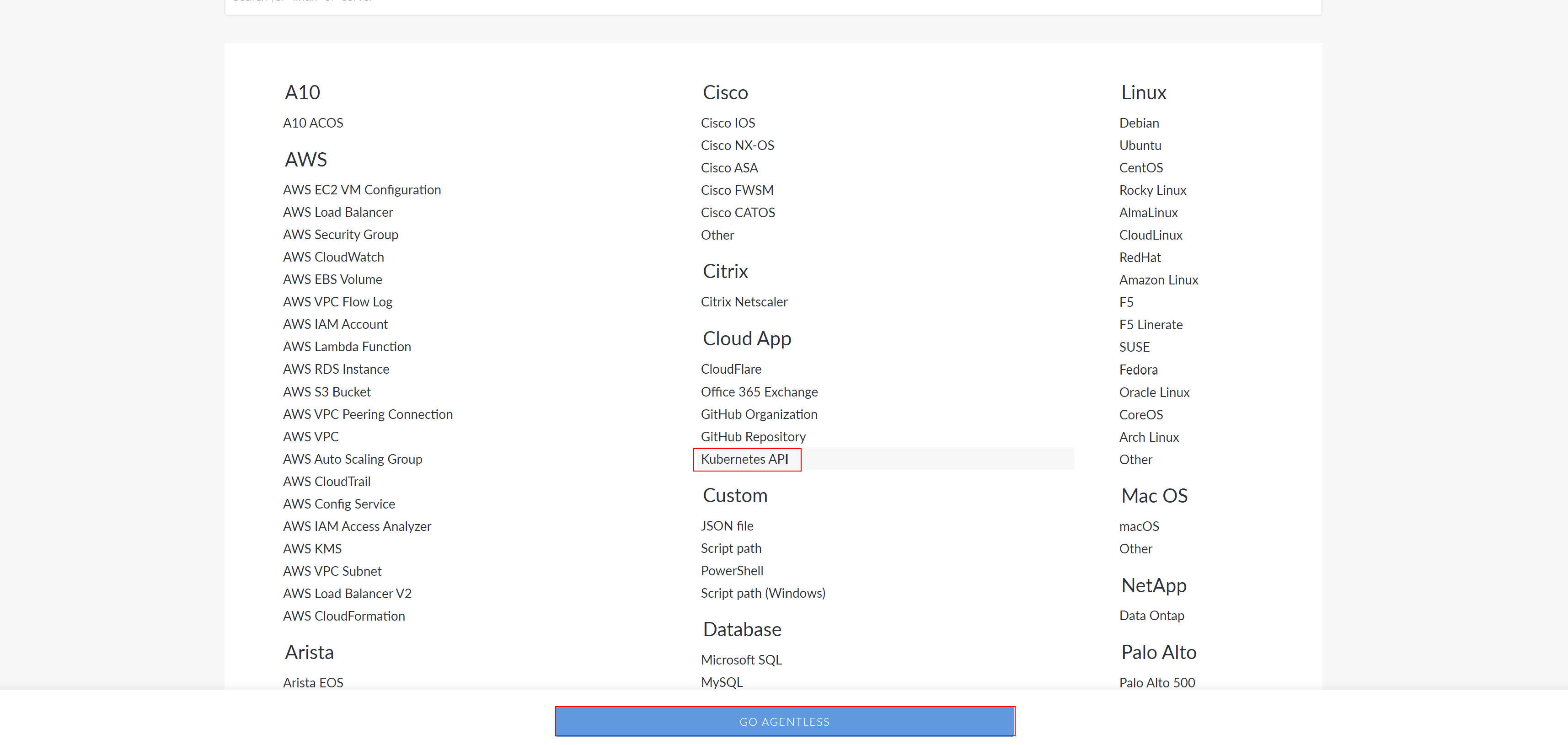
Select the 'Kubernetes API' from the list of node types and click the Go Agentless button to proceed. The Connect Agentlessly to [Node Type] page is displayed.
-
Here, complete the following options:
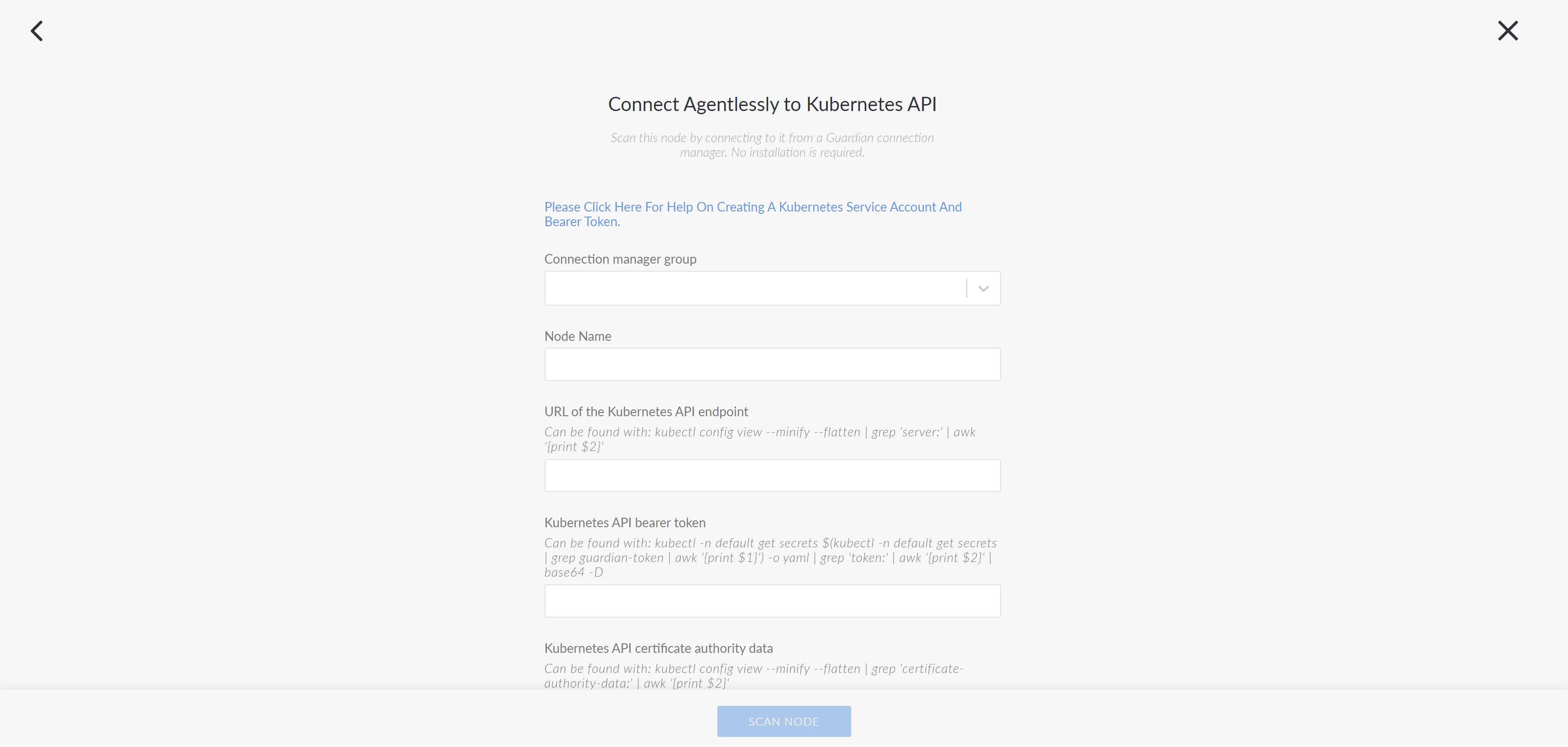
Option Description Connection Manager group drop-down list The Connection Manager group that is responsible for scanning your Kubernetes node. Select a Connection Manager group from the drop-down list. Node Name field The name of the node. The value you enter here will be used as the display name in Guardian. URL of the Kubernetes API endpoint field The URL of the Kubernetes API endpoint. To source this information, run the following command: kubectl config view --minify --flatten | grep 'server:' | awk '{print $2}.Kubernetes API bearer token field The bearer token required to grant Guardian access to the API. For more information on how to source this, see Kubernetes API Service Account. Kubernetes API certificate authority data field The certificate authority required to establish trust with Guardian. To source this data, run the following command: kubectl config view --minify --flatten | grep 'certificate-authority-data:' | awk '{print $2}Limit data collection to this namespace, blank otherwise field Option to restrict data collection to a specific namespace. Enter the namespace name here. Leave this field blank to collect data from all namespaces. -
Once you've completed the above options click Scan Node to add the Kubernete API node to your Guardian instance.
Now, Guardian performs an initial scan of the node. You can wait on this page for the scan to finish, at which point you will see a View Scan button. To view the results of this initial scan, click View Scan. However, you can also navigate elsewhere while Guardian performs its initial scan of the node. You can then view the status of the scan on the Job History page (Inventory > Job History). For more information on what to do next after adding a node, see below.
Where next#
- Read Node Scan Results What every scan of a node collected.
- Organise Node groups Group nodes by type, location and more.
- Tune Scan options Choose what each scan collects.
- Compare Configuration differencing Compare nodes, groups and scans.
- Govern Policies Define the configuration you expect.
- Connect Integrations Sync nodes and act on events.